wacraft Build WhatsApp Cloud apps in minutes




The fastest way to give your team an UI & API for the official WhatsApp Cloud API—powered by Go, Angular and Docker.
☁️ Try wacraft Console — no setup required
console.wacraft.astervia.tech is the hosted, multi-tenant wacraft platform managed by Astervia. Sign up, create a workspace, and connect your WhatsApp number in minutes — no servers, no Docker.
Self-hosting? Keep reading for local and production deployment guides.
Why wacraft? 🚀
| 🚀 Feature | 💡 Why it matters |
|---|---|
| 🖥️ Familiar UI | Angular front‑end that feels just like WhatsApp Web—users need zero training. |
| ⚙️ Go‑powered backend | High‑performance REST + Webhook server engineered for massive scale. |
| 🏢 Multi‑tenant workspaces | Fully isolated workspaces with per‑member policy permissions for team collaboration. |
| 📱 Multi‑phone support | Attach multiple WhatsApp phone numbers to a single workspace, configured entirely through the UI. |
| 🔌 Automation‑ready | Built‑in webhooks + n8n integrations. Build chatbots without writing a line of code. |
| 💳 Built‑in billing | Stripe‑powered subscription plans and per‑workspace throughput management. |
| 🛠️ Open & extensible | MIT‑licensed—fork it, extend it, embed it. |
✨ Feature Highlights
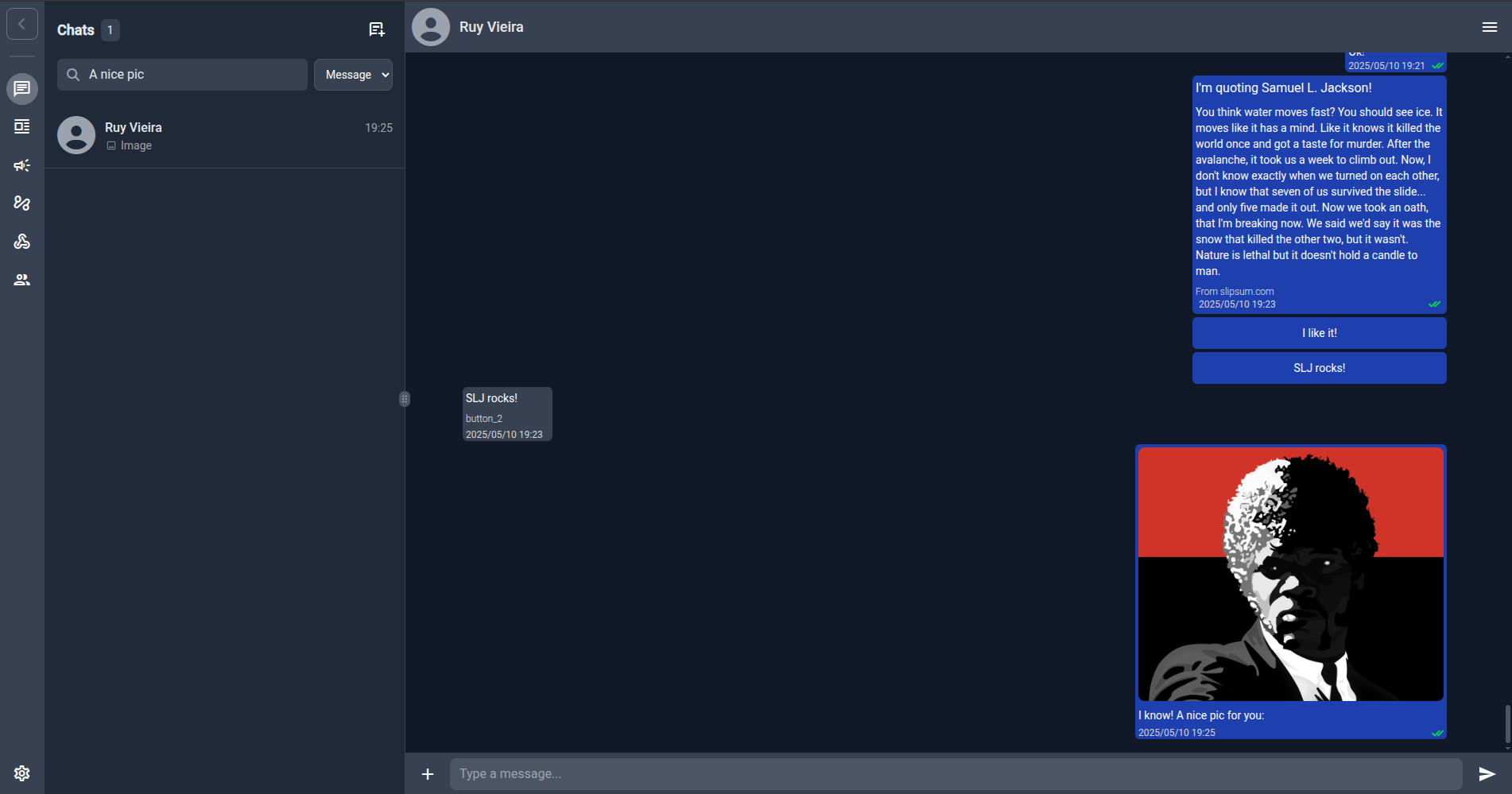
1 — Angular UI
Manage conversations, templates, campaigns, contacts, webhooks, phone configs and workspace members in a clean interface. Check the UI Walkthrough to see how it works!
2 — Go API
https://github.com/Astervia/wacraft-server REST & WebSocket endpoints for everything the UI does—perfect for CI/CD and custom integrations. Also includes OpenAPI specs for easy client generation.
Interactive docs available at /docs on any running server instance.
3 — Multi‑Tenant Workspaces
Every resource (contacts, messages, campaigns, phone numbers) is scoped to a workspace. Invite team members and assign granular permissions using the policy system.
4 — Phone Config via UI
No more managing WABA_ID and access tokens in environment variables. Add and manage your WhatsApp phone numbers directly in the UI at /phone-configs. See the Phone Config Guide.
5 — Real‑time Webhooks
Receive and react to WhatsApp events the moment they happen. Wire them to n8n or any HTTP endpoint.
6 — Billing
Workspace owners can subscribe to throughput plans. Admins manage plans, manual subscriptions, and endpoint weights through the Billing Admin panel.
7 — And more
Check Product Overview and UI Walkthrough for a full feature tour.
🏁 Getting Started
Option A — wacraft Console (hosted, zero setup)
- Go to console.wacraft.astervia.tech and sign up.
- Create a workspace.
- Grab your Meta credentials from the Meta Developer Portal.
- Add a phone config at Phone Configs → New and enter your WABA credentials.
- Set up the WhatsApp webhook to point to your Console instance.
Option B — Self-host
- Grab your Meta credentials
- Create/fill your
.env - Run the local stack
- Configure your first phone number via the UI
- Setup the WhatsApp Webhooks
Already have prod infra? Jump directly to the Fast Production Deploy.
☸ Deployment Options
| Scenario | Guide |
|---|---|
| wacraft Console (hosted) | console.wacraft.astervia.tech |
| Local Dev | quickstart/local.md |
| Fast Production Deploy | quickstart/production.md |
| Production (Docker Compose) | deploy/docker-compose.md |
| Binary + Vercel Front‑end | deploy/binary-vercel.md |
🔑 Configuration Overview
| Topic | Guide |
|---|---|
| Meta credentials (for phone config) | Getting Meta Credentials |
| Phone number setup (UI) | Phone Config |
| Environment variables | Env Vars Reference |
| Webhook setup | Webhook Setup |
| Stripe / Billing | Stripe Setup |
💬 Need help?
- GitHub Issues – bug reports & feature requests
- Consulting – wacraft@astervia.tech
Looking for v0.1.x docs? See the v0.1.x (Legacy) tab above.
σΔγ