🏢 Workspaces & Permissions
Workspaces are the core multi‑tenancy unit in wacraft v0.2.x. All resources — contacts, messages, campaigns, phone numbers, webhooks — are scoped to a workspace. A user can belong to multiple workspaces with different permissions in each.
Workspace Settings
Navigate to Workspace Settings from the sidebar (settings icon) or go to /workspace-settings.
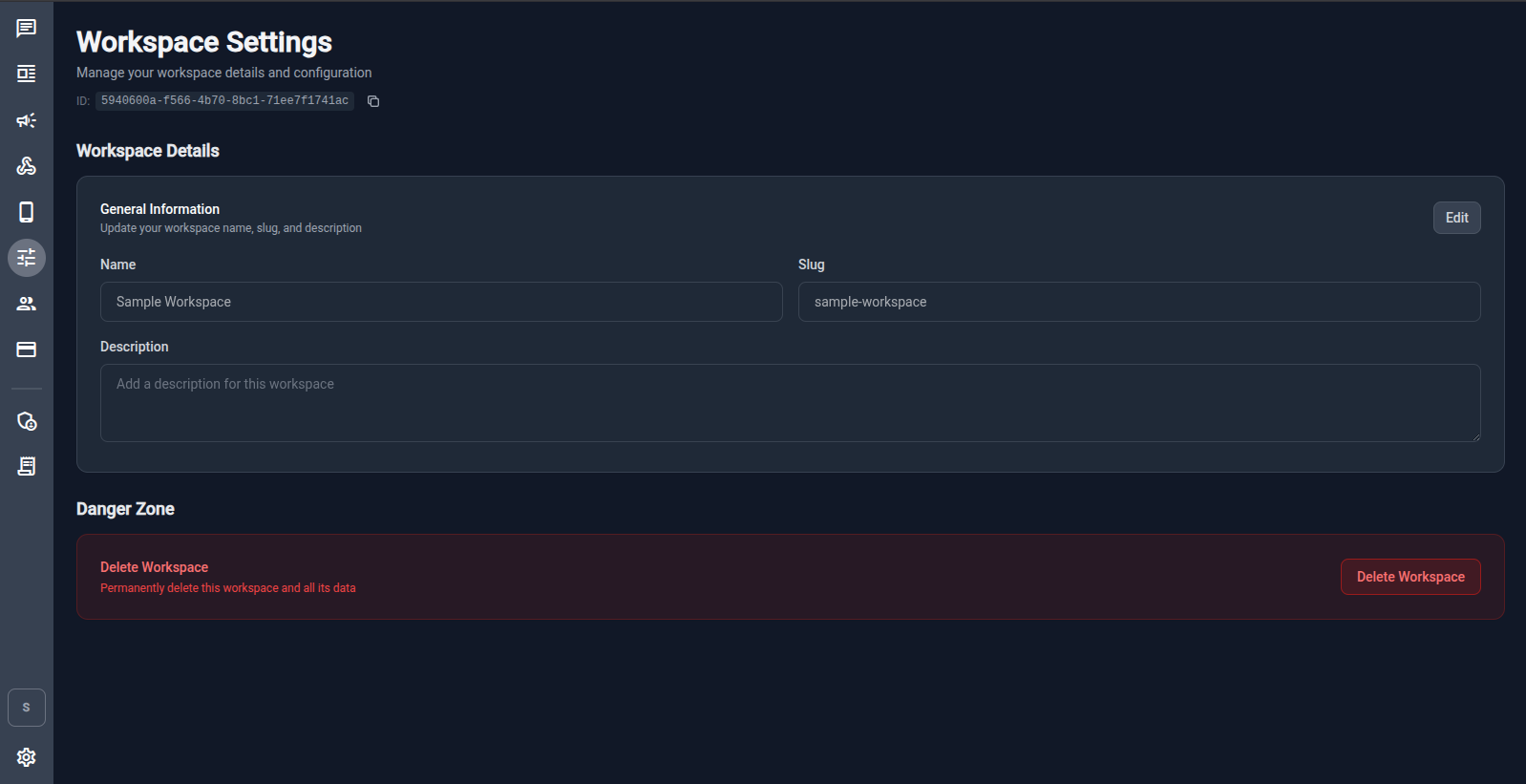
General Information
| Field | Description |
|---|---|
| Name | Display name for the workspace. |
| Slug | URL‑friendly identifier (auto‑generated, editable). |
| Description | Optional description for this workspace. |
Click Edit to modify these fields and save.
Danger Zone
The Delete Workspace button permanently deletes the workspace and all its data (contacts, messages, phone configs, etc.). This action cannot be undone.
Workspace Members
Navigate to Workspace Members from the sidebar (people icon) or go to /workspace-members.
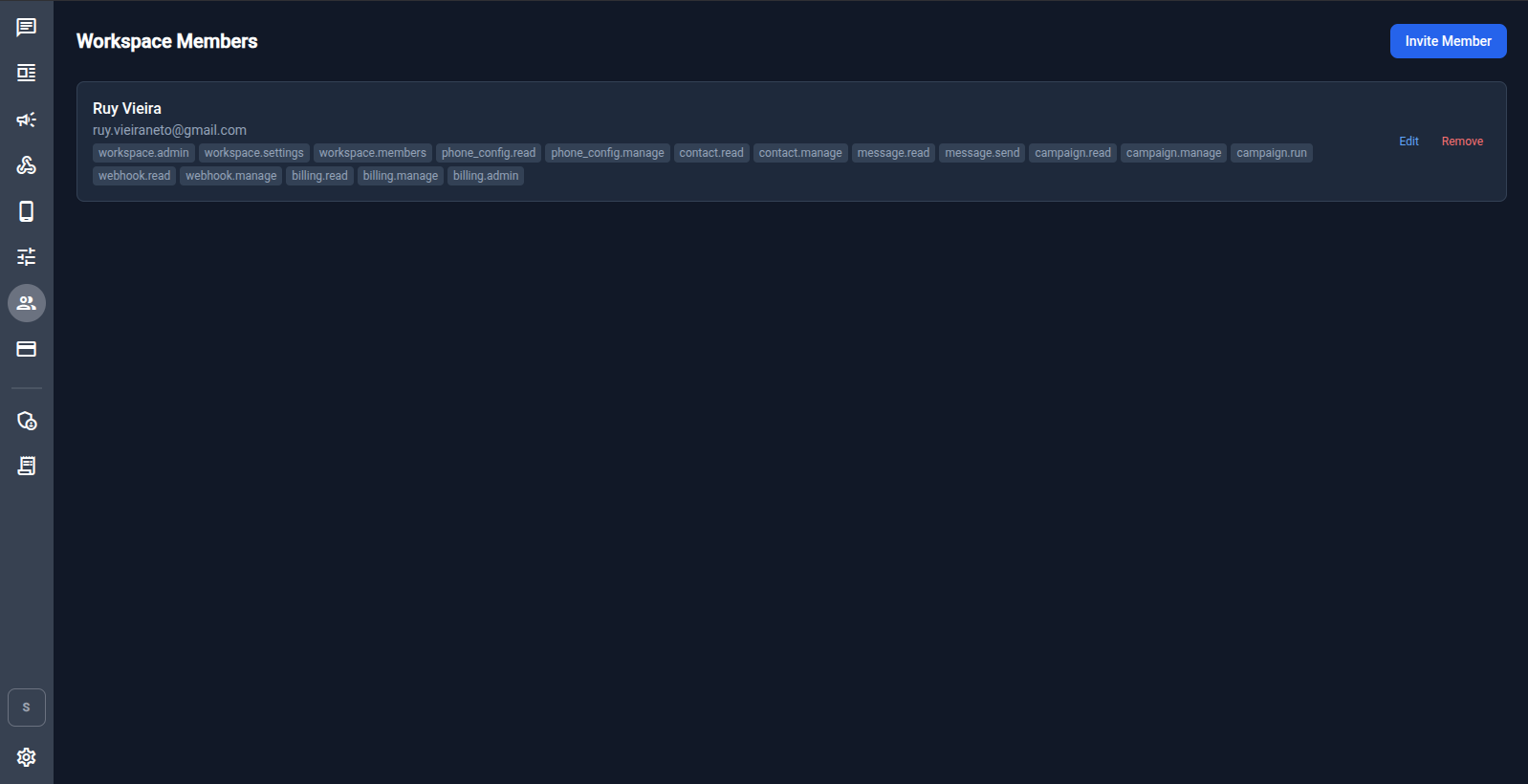
Members are listed with their email and the policies (permissions) assigned to them in this workspace.
Inviting Members
Click Invite Member to add a user to the workspace. You can assign policies at invitation time.
Editing & Removing Members
Each member row has Edit and Remove actions:
- Edit – change the policies assigned to this member.
- Remove – remove the member from the workspace (does not delete their account).
Policy System
Policies are fine‑grained permissions that control what a member can do inside a workspace. They are independent of the global user role (admin / user).
Available Policies
| Policy | What it allows |
|---|---|
workspace.admin |
Full administrative control of the workspace |
workspace.settings |
View and edit workspace name, slug, and description |
workspace.members |
Manage workspace members and their policies |
phone_config.read |
View phone configurations |
phone_config.manage |
Create, edit, and delete phone configurations |
contact.read |
View contacts |
contact.manage |
Create, edit, and delete contacts |
message.read |
View messages and conversations |
message.send |
Send messages |
campaign.read |
View campaigns |
campaign.manage |
Create and edit campaigns |
campaign.run |
Send / execute campaigns |
webhook.read |
View outbound webhooks |
webhook.manage |
Create, edit, and delete outbound webhooks |
billing.read |
View billing plans and usage |
billing.manage |
Subscribe to plans and manage subscriptions |
billing.admin |
Admin billing access (manage plans, manual subscriptions, endpoint weights) |
Typical Permission Sets
| Role | Suggested Policies |
|---|---|
| Operator / Agent | message.read, message.send, contact.read, campaign.read |
| Supervisor | All operator policies + campaign.manage, campaign.run, contact.manage, webhook.read |
| Workspace Admin | All policies (equivalent to workspace.admin) |
Global Roles vs Workspace Policies
| Scope | How it works |
|---|---|
| Global role: admin | Access to app‑wide admin pages: user management, /billing-admin, and platform settings. |
| Global role: user | Regular user with no special app‑level privileges. |
| Workspace policy | Granular permissions within a specific workspace. Independent of global role. |
A global admin user can access the billing admin panel at /billing-admin but still needs message.read + message.send policies assigned in a workspace to chat.
Self‑Service Registration
By default, users can self‑register at /register. After registration:
- Users verify their email.
- They can create a new workspace or accept an invitation to an existing one.
This flow can be restricted by the platform admin.