wacraft v0.1.x Build WhatsApp Cloud apps in minutes
You are reading the v0.1.x (Legacy) documentation. For the latest features including workspaces, multi-tenant support, and billing, see the v0.2.x docs.




The fastest way to give your team an UI & API for the official WhatsApp Cloud API—powered by Go, Angular and Docker.
Why wacraft? 🚀
| 🚀 Feature | 💡 Why it matters |
|---|---|
| 🖥️ Familiar UI | Angular front‑end that feels just like WhatsApp Web—users need zero training. |
| ⚙️ Go‑powered backend | High‑performance REST + Webhook server engineered for massive scale. |
| 🔌 Automation‑ready | One‑line integrations with workflow engines like Node‑RED or n8n. |
| 🛠️ Open & extensible | MIT‑licensed—fork it, extend it, embed it. |
| ❤️ Community‑driven | Extra features & priority support available via donation plans. |
✨ Feature Highlights
1 — Angular UI
Manage conversations, templates, contacts, webhooks and users in a clean interface. Check the UI Walkthrough to see how it works!
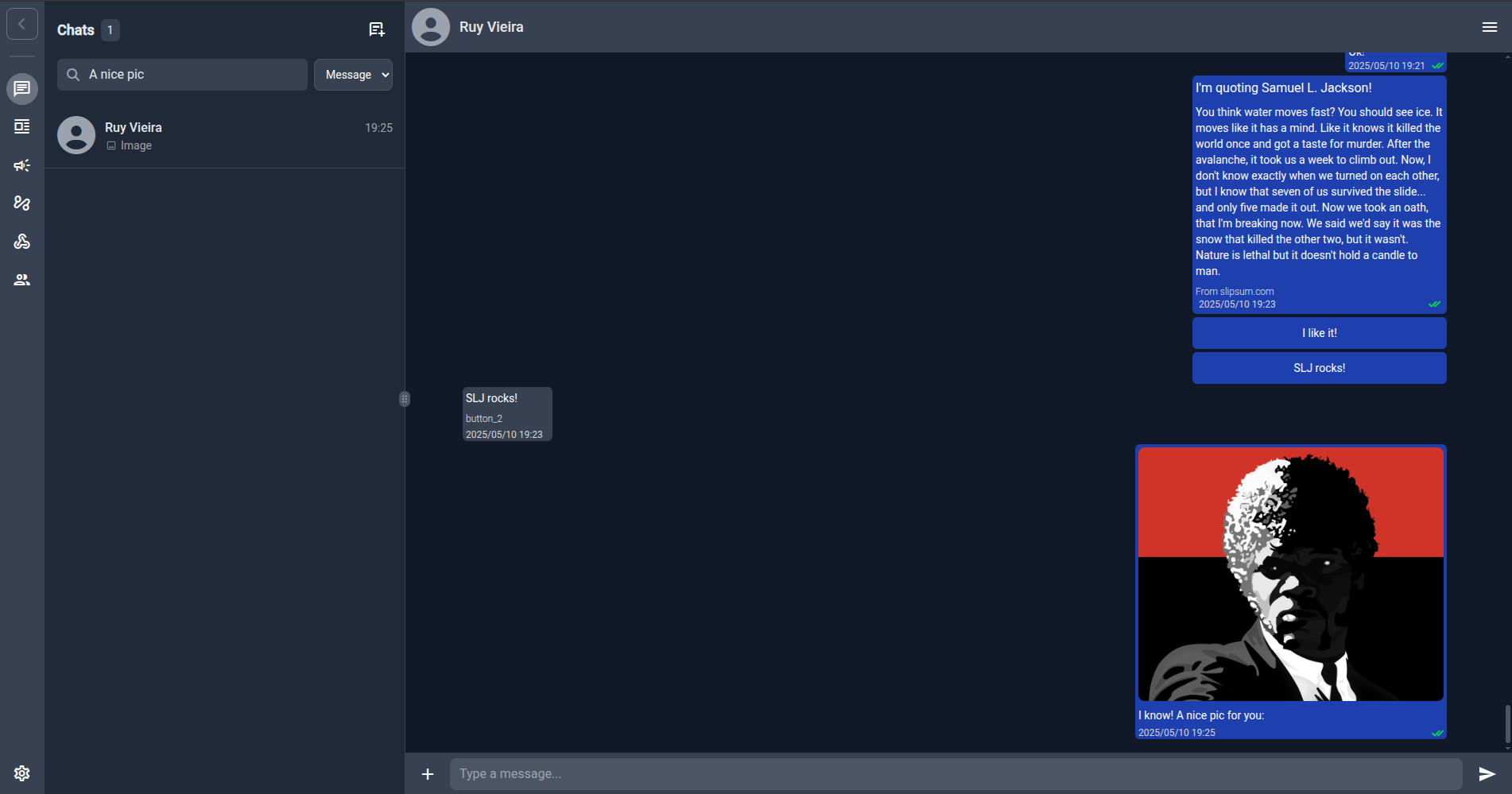
2 — Go API
https://github.com/Astervia/wacraft-server REST & WebSocket endpoints for everything the UI does—perfect for CI/CD and custom integrations. Also includes OpenAPI specs for easy client generation.
3 — Real‑time Webhooks
Receive and react to WhatsApp events the moment they happen.
4 — Automation Tools
Drag‑and‑drop flows for Node‑RED or n8n let non‑devs build chatbots in minutes.
5 - And more
Check Product Overview and UI Walkthrough for a list of features and how they work.
🏁 Getting Started
- Grab your Meta credentials
- Create/fill your
.env(copy the Minimal Dev block) - Run the local stack
- Setup the WhatsApp Webhooks
Already have prod infra? Jump directly to the Fast Production Deploy.
☸ Deployment Options
| Scenario | Guide |
|---|---|
| Local Dev | quickstart/local.md |
| Fast Production Deploy | quickstart/production.md |
| Production (Docker Compose) | deploy/docker-compose.md |
| Binary + Vercel Front‑end | deploy/binary-vercel.md |
| Node‑RED Integration | deploy/node-red.md |
You can also hit Deploy Overview to see a full list of deployment options and choose what works best for you.
🔑 Configuration Overview
All config happens via environment variables. Check Getting Meta Credentials to setup your Meta application and see the Environment Variables Reference for the full table.
💬 Need help?
- GitHub Issues – bug reports & feature requests
- Unlock new features / Consulting – wacraft@astervia.tech
σΔγ